
Stop Wasting Money on Bad Ads — Try Our DM Tech Labs’ Smarter Google Ad Copy Generator
You are going to learn how to create better ads without wasting money. Many ads fail because they are unclear or boring. However, when you use the right method, your ads can work smarter. In this guide, you will understand how a Google ad copy generator helps you write simple, effective ads that people actually click.
Why Bad Ads Cost You More Than You Think?
Firstly, you should understand that bad ads don’t just fail—they waste your budget. When your message is unclear, people scroll past it. You still pay for impressions, but you get no results.
Secondly, weak headlines reduce clicks. If users don’t click, your cost per result goes higher. This means you spend more money for fewer customers.
Moreover, poor wording confuses your audience. If they don’t understand your offer in seconds, they leave.
However, good ads are simple, clear, and focused. They talk directly to what people need. This is where smart tools help you.
What Is a Google Ad Copy Generator?
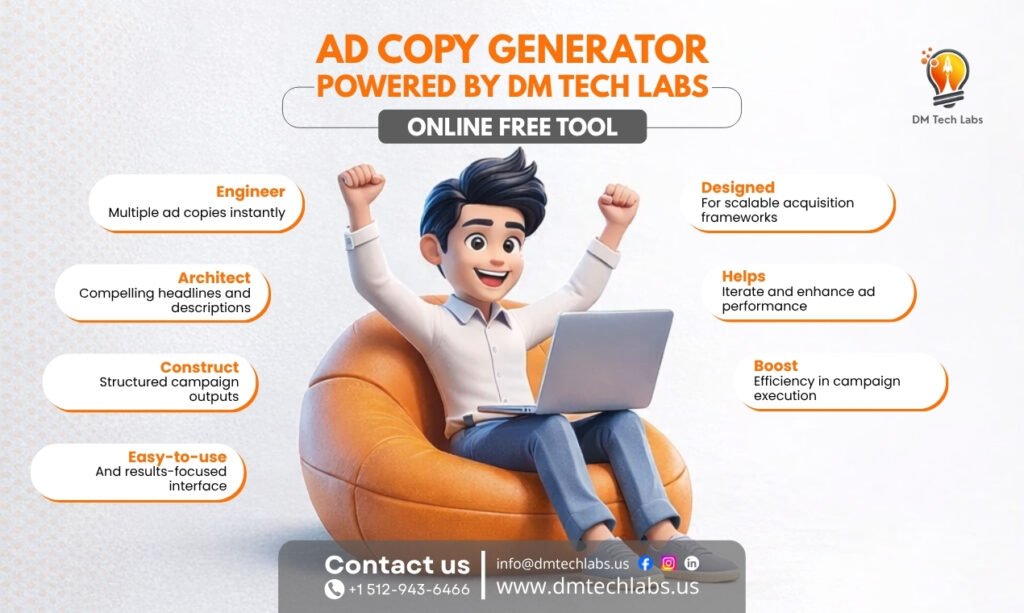
A Google ad copy generator is a smart tool that helps you create ads quickly. Instead of guessing what to write, you get ready-made suggestions based on your input.
Think of it like this:
- You give the tool your product or service
- It processes keywords and intent
- It generates headlines and descriptions
Also, it follows platform rules like character limits. So you don’t need to worry about formatting.
How Smart Ad Copy Works?
Let’s break it down simply, like a system design, so you can clearly understand how each part works together to create effective ads.
1. Input Layer
Firstly, this is where you provide the basic information the system needs. You guide the tool by giving clear inputs so it can generate relevant results.
- Keywords that define your product or service
- Target audience details like age, needs, or interests
- Offer or service description to explain what you are promoting
Moreover, the better your input, the more accurate and useful the output will be.
2. Processing Layer
Secondly, the system works like an engine that analyzes your input data. It uses structured logic and trained patterns to understand what kind of message will perform best.
- It studies search intent to match what users are looking for
- It selects high-performing phrases based on past data
- It applies emotional triggers to make your ad more engaging
However, this step happens instantly, saving you time and effort while improving quality.
3. Output Layer
Lastly, the system delivers ready-to-use ad copy that you can directly apply or slightly edit. This is where you see the final result of the entire process.
- Optimized headlines that attract attention quickly
- Clear and simple descriptions that explain your offer
- Strong call-to-action suggestions that guide users to act
Moreover, this process reduces human error. You get structured, tested, and performance-focused outputs instead of random guesses, helping you create ads that actually work.
Why You Should Stop Writing Ads Manually?
Firstly, manual writing takes time. You may spend hours writing one ad. Secondly, you may not follow best practices. Platforms like Google have strict rules.
Moreover, testing multiple variations becomes difficult. You need many versions to find what works. However, automation solves all these problems.
Key Benefits You Will Notice
You will start seeing improvements in your ads almost immediately when you use a smarter approach. Moreover, you will save both time and money while creating better-performing campaigns.
1. Faster Ad Creation
Firstly, you can generate multiple ad variations within seconds instead of spending hours writing manually. This helps you focus more on strategy and testing, while the system handles the heavy work of writing structured and optimized ad copy.
2. Better Performance
Secondly, the generated ads follow proven frameworks and patterns that are already tested in real campaigns. This increases your chances of getting more clicks, better engagement, and higher conversions without constantly guessing what might work.
3. Cost Efficiency
Moreover, when your ads perform better, your cost per click and cost per conversion naturally decrease. This means you spend less money while getting better results, making your advertising budget more effective and controlled.
4. Consistency in Messaging
Lastly, your ads maintain a clear and consistent tone across all campaigns. This helps build trust with your audience, ensures your message is easy to understand, and improves overall brand communication without confusion.
Simple Comparison Table
| Feature | Manual Writing | Smart Generator |
| Time Required | High | Very Low |
| Accuracy | Medium | High |
| Performance Testing | Limited | Scalable |
| Cost Efficiency | Low | High |
Real-Life Use Cases
You can use smart ad tools in different situations, whether you are just starting or already running campaigns. Moreover, these tools help you work faster and smarter without needing complex skills.
1. For Small Businesses
Firstly, you can create effective ads quickly without hiring a full marketing team. This helps you save money while still reaching your target audience with clear and professional messaging.
2. For Agencies
Secondly, you can manage multiple clients at the same time without increasing workload. The tool helps you generate consistent and high-quality ads for different industries efficiently.
3. For Beginners
Lastly, you don’t need expert knowledge to get started. The tool guides you step-by-step, helping you understand how ads work while creating simple and effective campaigns.
Moreover, even experienced marketers use automation to scale faster and improve performance across multiple campaigns without manual effort.
Step-by-Step Ad Copy Configuration Process
Firstly, you can follow a few simple steps to create effective ads quickly. Moreover, each step helps you move closer to better results without confusion.
1. Products
Firstly, the tool asks, “What Are You Selling or Promoting?” You simply paste your product or service “URL” or “Describe It” manually. This helps the system understand your offer before generating optimized ad copy.
2. Audience
Secondly, the tool asks, “Who Are You Trying to Reach?” Here, you select your audience’s “Age Range,” “Gender,” and “Location.” This helps the system understand who should see your ads and generate messaging with the right tone and targeting.
3. Competitor
Thirdly, the tool asks, “Who do you lose business to most?” Here, you add competitor website links so the system can understand market positioning and create stronger contrast-based ad messaging that makes your offer stand out naturally.
4. Budget
Next, the tool asks, “What Is Your Monthly Ad Budget? ”. Here, you enter your estimated monthly spending amount. The tool also supports multi-currency options, making it easier to plan campaigns for different regions and markets with accurate budget recommendations.
5. Objective
After that, the tool asks, “What Do You Actually Want to Happen?” Here, you select your campaign goals like “Traffic,” “Leads,” “Sales,” or “Engagement” so the system can generate ad copy based on your exact business objective.
6. Platform
Lastly, the tool asks, “Where do you plan to run these ads?” You select platforms like “Google,” “Facebook,” “LinkedIn,” or “TikTok” based on where your audience spends time.
After completing all steps, the system uses smart error flagging checks to identify missing or weak inputs before generating the ad angles, helping you create more accurate, optimized, and performance-focused ad copy for your campaign.
Statistics That Show Why Smart Ad Copy Matters
- The average Google Ads conversion rate reached 7.52% in 2025, showing that optimized ads can significantly improve results when done correctly. (Source)
- Businesses earn around $2 in revenue for every $1 spent on Google Ads, showing that well-optimized ads can deliver strong returns when copy and targeting are effective. (Source)
- Moreover, advertisers using multiple ad extensions see up to a 20% increase in CTR, which highlights how structured and complete ad copy improves visibility and clicks. (Source)
These numbers clearly show that when you improve your ad copy, you don’t just get better clicks—you get better results and higher returns.
How DM Tech Labs Helps You Build High-Performing Ads Without Guesswork
Firstly, you get a smart and structured system that simplifies ad creation from start to finish. It analyzes your input, understands user intent, and generates optimized headlines and descriptions instantly. Moreover, you can create multiple ad variations in seconds, saving both time and effort.
However, the real advantage is accuracy—you reduce errors and improve performance. In the end, you don’t just create ads; you build data-driven campaigns that deliver better results consistently.
Final Thoughts: Build Smarter Ads, Not Harder
In the end, you don’t need to struggle with ad writing anymore. A Google ad copy generator helps you save time, reduce waste, and improve results. You get structured, optimized, and effective ads without stress.If you want a smarter way to create high-performing ads, explore the advanced tool by DM Tech Labs. It helps you generate optimized Google ads quickly and efficiently, so you can focus on growing your business instead of guessing what works.
FAQs
1. What is a Google ad copy generator?
A Google ad copy generator is a tool that helps you create ad headlines and descriptions quickly. It uses smart logic to generate clear, engaging, and optimized ads that follow platform rules and improve performance.
2. Do I need experience to use an ad copy generator?
No, you don’t need any prior experience. The tool is designed to guide you step-by-step, so you can easily create effective ads even if you are a beginner.
3. Can it really improve my ad performance?
Yes, it can improve performance by using proven structures and optimized wording. This helps increase clicks, engagement, and conversions while reducing wasted ad spend over time.
